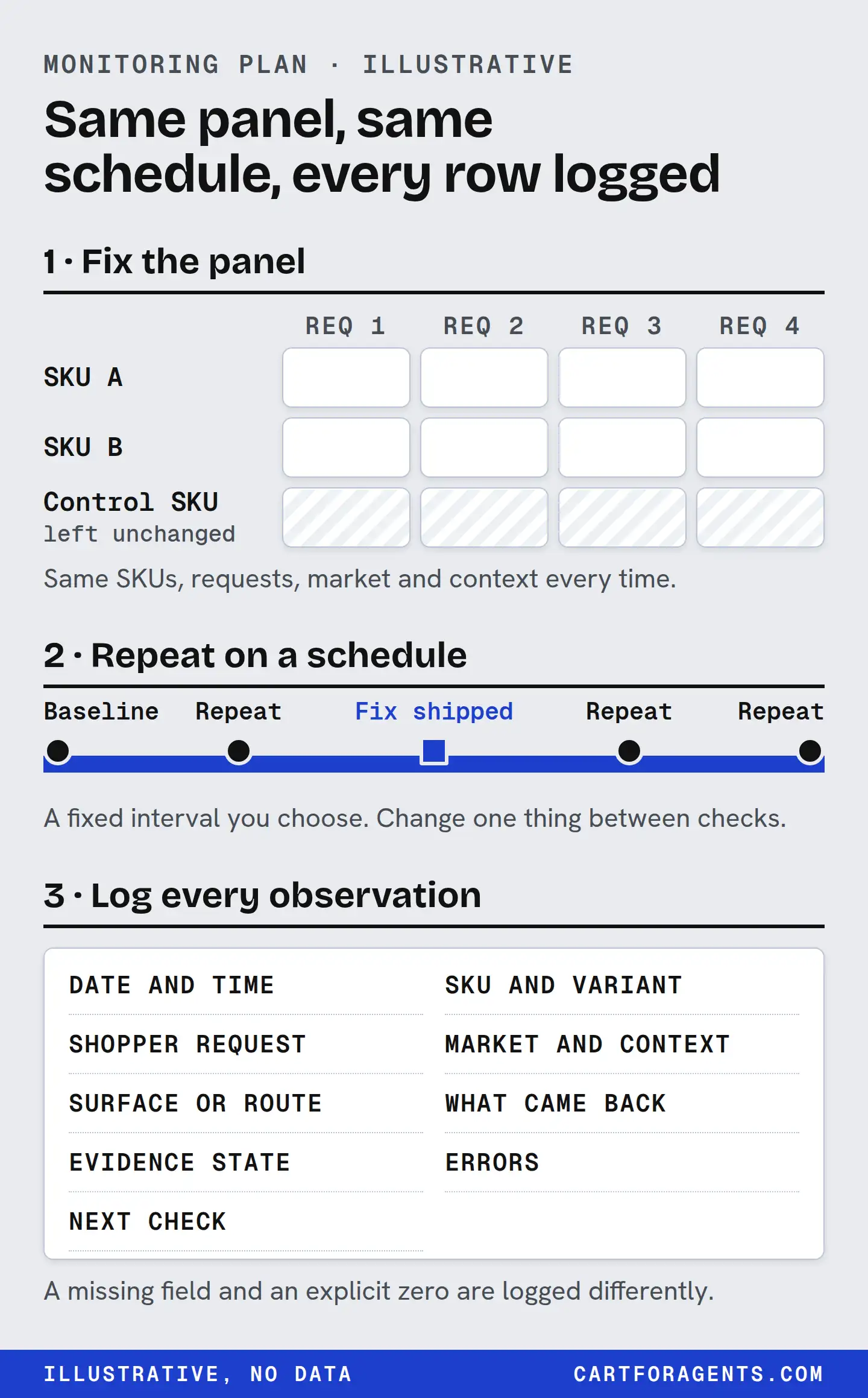
The plan on one page
If you want to know whether AI shopping agents can find and correctly describe your products, don’t start with a score. Start with a fixed panel you check the same way every time, and a ledger that records exactly what you saw.
| Decision | Our proposed starting point | Why |
|---|---|---|
| Which products | 3 to 5: a best seller, one with a fact you know is missing, and one you won’t change (the control) | Small enough to do by hand. The control tells you when the platform moved, not you |
| Which questions | 3 per product: one it fits, one edge case, one it doesn’t fit | A good result includes the agent correctly passing you over |
| Where the questions come from | Customer emails, reviews, support tickets and returns, in their words | Keyword volume measures people typing into Google, not what they ask an assistant |
| Which contexts | Two per question: no context, and one written buyer brief. One country per row | Assistants use memory and context. Mix them and changes become unreadable |
| Which routes | Each named separately: Shopify Catalog search with a country set, and each assistant you check by hand | Different routes feed different assistants |
| How many repeats | 3 runs per combination on each check date | One screenshot is not a stable result |
| How often | Monthly, within a week of any product-data change, and after a known platform or model change | Ties each check to something that could explain movement |
| When to call a change | It holds across all repeats on two check dates in a row, and the control didn’t move the same way | Separates your fix from noise |
Every setting in that table is a proposal, a sensible starting point rather than a tested threshold. Adjust it, but write the adjustment down before you look at results.
Three products, three questions, two contexts and two routes with three repeats each comes to 108 checks per date. That’s a long afternoon by hand. Cut routes or contexts before you cut the control product.
Choose the unit: product, variant or offer
“Is my product visible?” hides three different questions:
- Product. Did this item come back at all?
- Variant. Did the right size, colour or model come back? A shopper who needs the 4-litre tank isn’t helped by the 2-litre one.
- Offer. Did the right seller, price and stock come back? You can win the product and lose the sale to a reseller or a stale price.
Pick the unit for each row and stick to it. If you sell through several channels, the offer shown may not be yours.
Control the context, or at least record it
The same question can get different answers for different people, and the platforms say so.
- OpenAI says ChatGPT’s shopping results consider the query and context, including Memory and Custom instructions. (Shopping with ChatGPT Search, checked October 27, 2026.)
- Microsoft says Copilot bases product options on “your prompt, likely engagement, available merchant data, and other factors,” and that features vary by market, language, device, platform and subscription. (Shopping with Microsoft Copilot, checked October 27, 2026.)
- Shopify’s catalog accepts a buyer’s country, region, postal code, language and currency, and can personalize results for a signed-in Shop customer. (Global Catalog MCP, checked October 27, 2026.)
So write down, for every check: signed in or out, memory on or off, fresh conversation or not, country, and the exact words you typed. You won’t control everything. You can always record it.
And keep routes separate. Shopify’s merchant help says ChatGPT and Copilot find products through Shopify Catalog, Google AI Mode and Gemini through the Google & YouTube channel, and Meta through the Facebook and Instagram channel. A Catalog record and an assistant’s answer are two different rows, never one.
Record what you actually saw: the ledger
Each check is one row. Fifteen columns:
| Column | What goes in it |
|---|---|
| Check ID | A unique label |
| Product / variant / offer | Exactly which one you were checking |
| Question ID | So the same question is always the same question |
| Hard requirements | The parts of the question a product must meet (“quiet,” “rated to -30 °C”) |
| Market | Country, and currency if relevant |
| Buyer context | Signed in or out, memory on or off, fresh conversation |
| Where checked | The route or surface: Shopify Catalog search, an assistant’s app or web |
| Model, if shown | The model name, or “not shown.” Don’t guess |
| Checked at | Date and time, with time zone |
| Saved record | Where the screenshot and copied text are kept |
| Outcome | Not returned, returned, recommended, recommended with a wrong fact, wrong variant, offer mismatch |
| Evidence state | For each requirement: stated and correct, stated and wrong, unknown, doesn’t fit |
| Failure state | Error, refusal, the assistant asked a follow-up, rate-limited, or none |
| Owner | The person who fixes what this row found |
| Next check | A date |
A real row, and what it does and doesn’t show
Here is one real row, from a Shopify Catalog search we ran on October 26, 2026. We ran it once, as research. It isn’t a monitoring series.
| Column | Value |
|---|---|
| Check ID | OBS-2026-10-26-019-P4 |
| Product / variant / offer | Humidifier listing, store withheld. First returned variant. Offer not evaluated |
| Question | “humidifier for dry winter air large room quiet top fill” |
| Hard requirements | Quiet (needs a dB figure with distance and setting); large room (needs a coverage area); top fill |
| Market | None set |
| Buyer context | None: no signed-in buyer, no location |
| Where checked | Shopify Global Catalog search, top 10 |
| Model, if shown | Not applicable. A catalog response, no assistant involved |
| Checked at | October 26, 2026, about 8:31 p.m. Eastern |
| Saved record | Private receipt, kept internally |
| Outcome | Returned, position 4 of 10 |
| Evidence state | From the description: coverage stated (“up to 400 square feet”); top fill stated; noise unknown, “runs quietly enough to leave on overnight.” No decibel figure in the description, and no Shopify-generated metadata on the record |
| Failure state | None |
| Owner | The merchant’s product-data owner |
| Next check | Not scheduled |
What this row lets that merchant do: the fix is obvious and owned. Publish a measured noise level with its condition, or measure one. On the same result, four other product descriptions gave a decibel figure, and two more listings gave one only in Shopify-generated metadata.
What it doesn’t show: whether any assistant recommended this listing, whether the 400-square-foot claim is accurate, or anything about a trend. One row is one observation. A second row a month later, under the same conditions, is where monitoring starts.
To start your own ledger, copy the fifteen columns from the table above into a spreadsheet, one row per check.
Separate change from noise
Selection is jumpy even when nothing about your product changes. In the ACES sandbox, researchers report that randomized listing position alone causes large, model-specific changes in which product gets selected. (ACES v3, December 15, 2025.) Real assistants add personalization, model updates and competitor edits on top.
Four habits make a change readable:
- Take a baseline first. Two check dates before you edit anything. Without them you can’t tell normal wobble from a real shift.
- Repeat each check. Three runs per combination. Record all three, including the ones that came out differently.
- Watch the control. If your unchanged product moved in the same direction as the one you edited, the platform moved, not your fix.
- Log your own edits with dates. Every product-data change gets a row in a change log: what changed, from what, to what, when. When a result moves, check the change log before you celebrate.
One rule overrides the others. A wrong fact about your product is worth acting on the first time you see it. If an assistant or catalog record says your humidifier covers 600 square feet when it covers 400, log it and fix the source that day. Don’t wait for three repeats.
Turn rows into actions
A ledger is only useful if each row ends with a person and a next step.
| What the row shows | Next action | Who |
|---|---|---|
| Not returned on a route you’re eligible for | Check eligibility and channel status for that route | Store owner |
| Returned, but a requirement is unknown | Publish the verified fact as text with unit and condition, or measure it | Product owner |
| A stated fact is wrong | Fix the source data, then re-check that route | Product-data owner |
| Recommended for a question it doesn’t fit | Publish the limit plainly (“not for rooms over 400 sq ft”) | Product owner |
| Wrong variant or offer | Fix variant mapping, price and stock sync | Store operations |
| Recommended with every fact correct | Keep checking on schedule. Don’t call it a win until two check dates agree | Whoever runs the panel |
Keep “sold” out of this table on purpose. Orders come from your store analytics, and a pick in one check isn’t a sale. A visibility plan tells you whether the right facts reached the shopper’s agent. Whether the shopper bought is a separate question with a separate answer.
What this plan can’t do
It can’t show you what an assistant tells your customers. You see your own session, under the conditions you set. Nobody outside the assistant sees a particular shopper’s conversation, and anyone who claims otherwise should show you how.
It can’t give you a single number that predicts orders. A score that hides which product, which question, which context and which route was checked can’t be audited, and a number you can’t audit isn’t worth paying for.
And it isn’t a product we sell yet. Cart for Agents doesn’t offer weekly monitoring. The free check below is a one-time report, emailed within 24 hours.
Start this week
Write down three customer questions for your best-selling product, copied from real emails or reviews. Run each one once, signed out, in a fresh conversation, in one assistant, and fill in one ledger row per question. Then pick your control product and do the same for it. Those rows are your baseline. In a month, run the same questions the same way, and compare rows, not impressions.