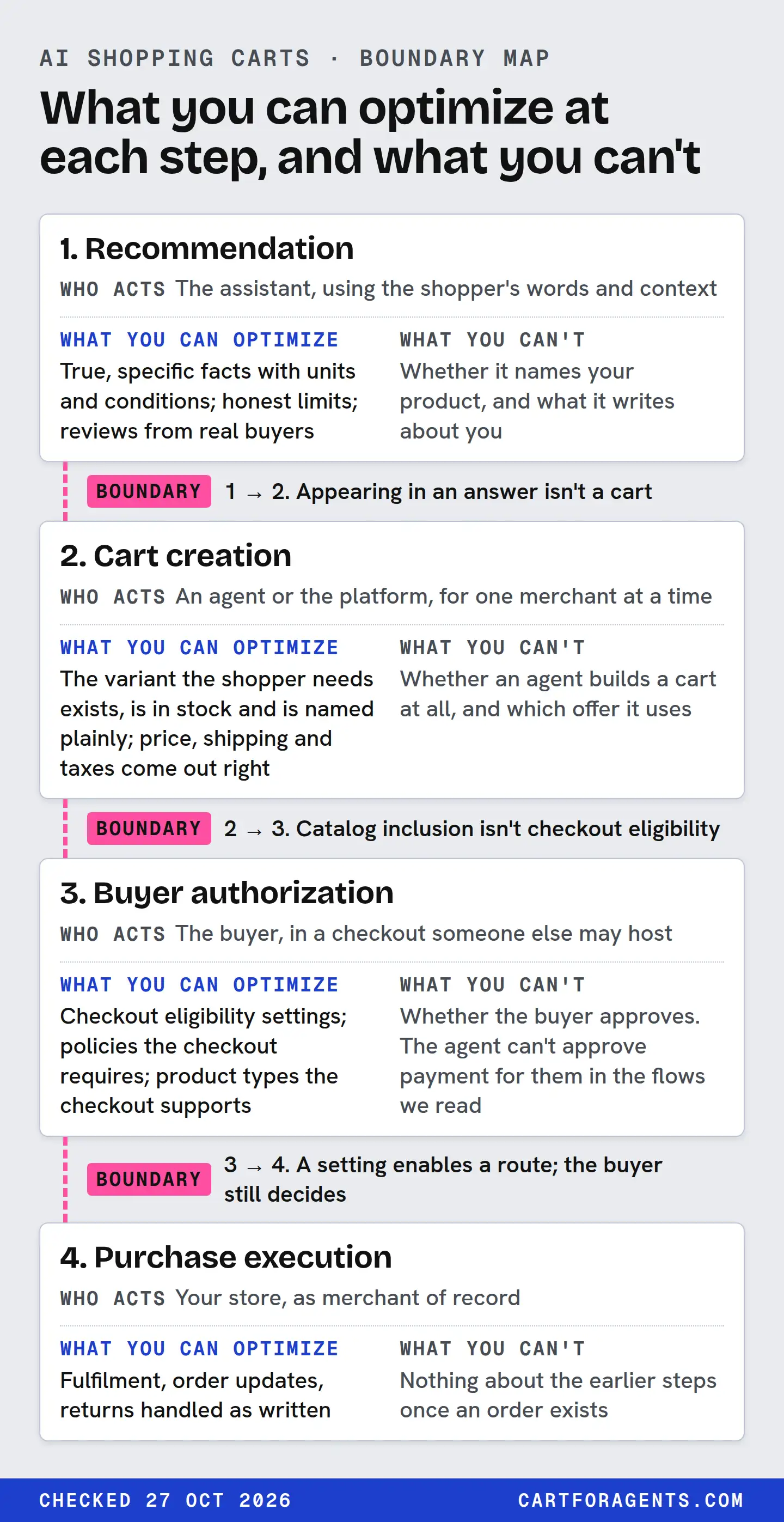
An AI cart purchase crosses four steps. The assistant recommends a product. An agent or platform builds a cart. The buyer authorizes payment. The merchant’s checkout executes the order.
You can optimize what each step reads: true facts, the right variant in stock, accurate price and shipping, written policies, and the checkout settings each platform offers. You can’t make an agent build a cart or a buyer approve one. A mention is not an add-to-cart. In the documents we checked, the outcome a merchant can see is the order, so judge cart work by your orders by channel, not by how often a product gets named.
The boundary map
Read it left to right as a purchase moves. Each step has a different actor, and each boundary between steps is somewhere a sale can stall without you seeing it.
| Step | Who acts | What you can optimize | What you can’t |
|---|---|---|---|
| 1. Recommendation | The assistant, using the shopper’s words and context | True, specific facts with units and conditions; honest limits; reviews from real buyers | Whether it names your product, and what it writes about you |
| 2. Cart creation | An agent or the platform, for one merchant at a time | The variant the shopper needs exists, is in stock and is named plainly; price, shipping and taxes come out right | Whether an agent builds a cart at all, and which offer it uses |
| 3. Buyer authorization | The buyer, in a checkout someone else may host | Checkout eligibility settings; policies the checkout requires; product types the checkout supports | Whether the buyer approves. The agent can’t approve payment for them in the flows we read |
| 4. Purchase execution | Your store, as merchant of record | Fulfilment, order updates, returns handled as written | Nothing about the earlier steps once an order exists |
Boundary 1 to 2: a mention isn’t a cart. An assistant can name a product in an answer without any cart existing. Shopify’s catalog gives agents a checkout link for each variant, which opens the merchant’s checkout with the item pre-selected. An agent that wants more control can build a cart through Shopify’s cart tools, which “accept unauthenticated requests” so it can estimate totals before collecting the buyer’s details. Either way, a cart is something an agent chooses to make, after the recommendation.
Boundary 2 to 3: a cart isn’t a purchase. Shopify’s checkout tools for agents require authentication. Sessions that are incomplete, need escalation, or are ready to complete come with a link that hands the buyer to the merchant’s own storefront. A cart can wait there indefinitely.
Boundary 3 to 4: the buyer holds the key. This is the boundary every document we read reserves for the buyer. In Shopify’s browser-based tools, the agent places the order “after the buyer confirms it”. In Google’s checkout, the shopper fills in “sensitive fulfillment and payment details” in a Google interface and submits the order, and “the Agent is not involved in this part”.
After 4: you’re the seller. Shopify says the merchant “always remains the merchant of record”. Google says you stay the seller of record on its checkout too.
Where each platform puts the boundaries
The four steps are the same everywhere. Who runs step 3 differs, and the documentation is uneven.
| Route | Cart and checkout, as documented | Market and availability | What you control |
|---|---|---|---|
| Shopify-powered direct checkout (Google AI Mode and Gemini, Microsoft Copilot, Meta) | Per-variant checkout links and cart tools; direct checkout “directly in their conversation in an AI channel” where supported, otherwise a redirect to your online store | Active by default for eligible stores, where supported; off by default on the Agentic plan. Shopify says Google AI Mode and Gemini direct checkout is rolling out gradually to customers in the US, Canada and Australia | The direct checkout setting, which Shopify’s help places in Sales channels → Agentic (on by default under “Allow Shopify to manage for me”). We haven’t seen this screen |
| ChatGPT | Help page: links to sites to purchase, and Instant Checkout “for some eligible products and merchants”. Merchant page: “moving away from a standalone Instant Checkout”; purchases completed on merchant-owned websites or apps. Shopify: ChatGPT buyers complete the purchase on your online store checkout | Merchant page: “Shopping is currently live in the U.S. and will expand to additional regions over time” | Shopify documents no ChatGPT direct-checkout setting. For direct feeds only: a checkout flag that needs a separately enabled integration |
| Google’s own UCP native checkout | Checkout session built by the user and agent, then a Google interface for payment; cart transfer to the merchant site is another capability | Select merchants. Google’s pages differ on markets: one help page names the US, Canada and Australia; the onboarding pages say the hub rolls out in the US first, with Australia and Canada next year | A feed attribute that opts each product in (missing means no); returns and support settings |
The OpenAI row has a conflict we can’t resolve: two current OpenAI pages describe Instant Checkout differently. Plan for ChatGPT buyers to check out on your own site, unless your own account shows otherwise.
The levers, row by row
Here’s the merchant side of the map in more detail, with what each lever does and doesn’t do.
Inputs to the cart
| Lever | What it affects | The limit |
|---|---|---|
| Variant names and options | Whether an agent can select the exact size, colour or capacity. Google’s guide says complete variant data “prevents automated transactability discrepancies that can suppress the checkout button” | Doesn’t make the agent choose your product |
| Stock per variant | Shopify’s catalog returns sale-ready items by default. Out-of-stock variants drop out before a cart exists | You’ll never see the cart you lost |
| Price, shipping and tax accuracy | An agent can read estimated totals from a cart before the buyer commits | Totals at checkout are what the buyer approves; a surprise there ends the sale |
| Policies | Google’s checkout requires return policies and customer support details. OpenAI’s checkout fields include seller privacy policy and terms URLs | In the docs we read, checkout readiness calls for policy URLs to be present; we did not find a documented scoring of how generous those policies are |
Checkout settings
| Setting | Where it lives | What turning it on does, as documented |
|---|---|---|
| Direct checkout | Shopify admin, Sales channels → Agentic, per Shopify’s help (we haven’t seen this screen) | Lets customers buy in the AI channel’s conversation where supported. Off: redirect to your online store. On by default for eligible stores, off by default on the Agentic plan; not offered for ChatGPT |
| native_commerce(checkout_eligibility) | Google Merchant Center product feed | Opts a product into Google’s checkout. Only listings with it show the Buy button. Missing means FALSE |
| is_eligible_checkout | OpenAI direct product feed | Opts in only if search eligibility is on and checkout is enabled for the integration. The flag alone doesn’t complete onboarding |
We haven’t seen the Shopify admin screens behind these settings for any store. The table describes what the help pages say they do.
Product types that can’t take the shortcut
Some products can’t use in-assistant checkout on some routes, whatever you optimize. Google lists categories ineligible for its checkout, including subscriptions, personalized goods, used, refurbished and final-sale items, pre-orders, and items needing special shipping. Shopify’s browser-based agent tools don’t run on some checkout setups, including B2B checkout and checkouts with merchandise from another shop; the buyer completes those on the checkout page.
That isn’t a ban on being recommended. It means the purchase goes through your own checkout, and your own checkout has to work well for a shopper arriving from a chat.
What a “cart visibility” number can and can’t mean
Vendors and dashboards sometimes describe AI cart presence. Check every such claim against the boundary it skips.
| Claim | Boundary it skips | What would support it |
|---|---|---|
| “Your product appears in ChatGPT carts” | 1 → 2. Appearing in an answer isn’t a cart | Orders from that channel in your Shopify reports |
| “Our tool tracks your AI add-to-cart rate” | We found no documented source of agent-built cart data for merchants | Ask where the cart data comes from, in writing |
| “Turn on agentic checkout and sales go up” | 3 → 4. A setting enables a route; the buyer still decides | A before-and-after comparison of your own orders, with a control |
| “You’re in the Catalog, so agents can buy from you” | 2 → 3. Catalog inclusion isn’t checkout eligibility | The checkout program’s own status for your store and country |
The last row has a concrete example. In our snapshot of 1,620 Shopify Catalog results from October 26, 2026, every returned variant carried a checkout link to a cart on the seller’s own storefront, and every one was flagged not eligible for native checkout. Those products were in the catalog and buyable, through a redirect. That was a search with no country or buyer set, so it describes those records, not any store’s status in an assistant.
A worked case: from one record to a cart
Take position 3 from our search for “humidifier for dry winter air large room quiet top fill” on October 26, 2026. Our recommendation-to-purchase worksheet follows its full journey. Here’s what its record offers each step of the boundary map:
| Step | What position 3’s record gives an agent | What it can’t tell us |
|---|---|---|
| 1. Recommendation | A title, description and price that support all five needs of our example large-room brief | Whether any assistant recommended it |
| 2. Cart creation | One available variant at USD 69.99 and a checkout link for one unit, on the seller’s own storefront | Whether any agent built a cart |
| 3. Buyer authorization | Flagged not eligible for native checkout, so the link leads to the seller’s own checkout | Whether any buyer approved a payment |
| 4. Purchase execution | Links to the seller’s refund and shipping policies | Whether an order exists. Only the seller’s admin knows |
Everything the merchant could optimize is already in that record, and none of it proves a cart. If you own a product like this one, the useful question isn’t “am I in AI carts?” It’s “when an agent sends a buyer to my checkout, does the variant, price and shipping they land on match what they were shown?”
Your next step
Open Sales channels → Agentic in your Shopify admin and note two things with today’s date: whether direct checkout is on, and which channels it applies to. Then pick one product, open its checkout link the way a buyer would, and check that the variant, price, shipping cost to your main market and return policy all match what your product record says. A cart you can’t see is still a cart you can make easier to finish.